
Category: Uncategorized
Project Management and performance, attention and focus

The way you and your team pay attention and focus is crucial to achieving sustained optimal performance, especially when delivering projects. Optimal performance is sustainably achieving goals efficiently and effectively, to the best of your ability within current conditions.
To perform, individuals, teams, and organizations manage and apply situation specific technical and administrative skills, project, program, and process management, supported by relationship capabilities like communications, conflict management, decision making, and expectations management.

These capabilities rely on attention and a realistic perspective informed by positive values like objectivity and servant leadership. A realistic perspective realizes that change is inevitable and that there is uncertainty because we live and work in a complex system.
In particular the attention to detail, which is needed when running projects and teams. There are of course other aspects such as perspective and values which are equally important; however this article is dealing with attention to detail
There are three finds of attention, there is;
- Focused attention – directed to a specific object. It is concentration like shining a flashlight on an object, for example, a person in a conversation or work on a task. On an organizational level, focused attention directs resources to a specific project or process.
- Open attention – seeing or being objectively aware of what is occurring in a broad expanse, mindful awareness. Open attention enables a stepping back from focus to be in touch with what is occurring in and around the object of focus.
- Executive attention – deciding what within the field of open attention to attend to and what to do about it, regulating responses with awareness and discernment.
There are objects of attention, which are;
- A project, an organization, a task, presentation, thought, sound, physical sensation, or any observable phenomena.
- There are three modes, being: awareness of self, others, and the wider world.
- With self-focus, the primary objects are thoughts, physical sensations, and feelings. With other-focus, the principal objects are other people and things and their behavior. Focus outward is diffuse open awareness without focusing on any particular object. It is seeing the big picture and disengaging from routine attentiveness to allow for creativity and exploration.

In respect to running projects the following are referenced as objects, a project is an object. It focuses an organization’s attention by dedicating human effort and other resources to create or change a product, put on an event or make a change of any kind. Effective project stakeholders are aware of the impact their actions have on their environment and the way the environment impacts the project. Executives govern to manage a portfolio of projects, avoid distractions, and choose the most effective places to focus attention.
Projects, tasks, or activities, whether performed by teams or individuals, are objects of attention. A project team focuses on the project. Teams and individuals focus on performing, attentive to the way they perform and interact, aware of what impact they are having on their environment and how their environment is affecting them, their tasks, and projects.

Focus is paramount when running projects because to lose focus, then performance suffers. Fail to be attentive to what’s going on in and around the project team and performance suffers. Other aspects are;
- Concentration and skillful attention elicit a flow experience, being in the zone, a state of optimal performance and deep relaxation.
- Consider what happens when sponsors or clients lose interest in a project, they once considered important. Other “interesting” things crop up to grab their attention. Resources start getting pulled away. The project manager is less able to influence some stakeholders to fulfill commitments. Performance suffers.
There will be times, depending on the complexity of the project for fatigue and distractions to get in the way.Attention is a natural capacity that varies in strength depending on one’s energy level and powers of concentration. The tired mind easily slips away from objects of focus and lacks the strength to bring focus back to the object.
Open attention and executive function suffer because the mind is too easily drawn to the many distractions that call to it and it is too weak to return to awareness. It may seem relaxing to just go with the mental stream of thoughts, feelings, and external distractions. However, when you regularly allow yourself to flit from one thing to another as they randomly appear, you weaken your powers of concentration.

There are three things which enhance all the aspects of attention – focus, open awareness, and executive function:
- Strong concentration, mindfulness, and objectivity aided by minimizing distractions and managing the ones that cannot be avoided
- A process and systems view that recognizes the realities of interdependence, cause and effect relationships, and continuous change
- Values upon which to base skillful decision making.
Let the practice of consciously managing distractions seep into day to day, moment to moment experience. When you notice that your focus has slipped away, make the effort to bring it back. The more you bring your mind back to a chosen object of focus, the more you strengthen your power of concentration.
There are many exercises to strengthen your power of concentration. One is to take a few minutes a day to sit quietly and count your out-breaths from one to ten. If you lose count, start from one again.
Cultivate relaxed concentration. Distractions will come. Congratulate yourself for noticing and going back to the counting or whatever your object of focus is. No need to strain or over think it. Your open attention notices distraction and your executive function brings you back or lets the mind wander. Let us know how you deal with attention when running projects; it would be great to hear from you. All the best on your project management journey.

Project Success needs critical skills

There are critical skills needed by project managers which lead to project success. Regardless on the project being delivered or the industry, the technology used, or the methodology followed. Each of these skills requires a combination of what are commonly called hard skills with those needed to work effectively with others. These skills complement project manager’s soft skills.
A key soft skill is elicitation, the ability to ask questions which actually get the information required. Although elicitation is far more than the questions asked, it’s all about learning. Used to learn what stakeholders want, what they need, and what they expect by asking really good questions and listening.

There are several pitfalls which can make the elicitation process a challenge.
#1 – Missed Expectations
Expectations are requirements, so it is best to ask what the stakeholder’s expectation is of the final product.
#2 – People Fear The Future State.
This major pitfall is hard to overcome for many reasons. Some stakeholders are comfortable with their current state and don’t want to learn or train on the new processes and automation. Others are concerned for their jobs. Still others have a stake in the existing ways – perhaps they were part of its development or a known expert on its use. Whatever the reasons, the fear of the future state can make elicitation difficult.
#3 – The Time Trap
Due to perceived time constraints at times only high-level requirements are gathered, but we don’t have time to uncover the expectations. After the initial set of sessions, interest can wane as the difficult detailed meetings drag on.

There are some approaches which can assist with successful elicitation
Use a variety Of Elicitation Techniques
- Process modelling. It documents how people get their jobs done. But as with all elicitation, it’s not easy. For example, one of the most difficult aspects about process requirements is that stakeholders argue over where to begin and where to end and how the processes fit together. Using different process models helps avoid this contention. Help narrow the scope of each model with the use of swim lane diagrams which help visualize how the processes fit together.
- Data modelling. Process modelling is great, but people need information to get their work done. Data modelling helps figure out what information supports each process step. It also provides business rules and is invaluable on AI initiatives.
- Use cases. These models help understand how stakeholders want to use the final product. They provide not only the scope, but all the functionality of the solution. And use cases, if completed thoroughly, turn into test cases.
- Prototypes show what the final solution will look like.
- Brainstorming yields the power of the group, while one-on-ones often reveal what stakeholders really think.

Ask Context Questions
A context question is one that surrounds the solution that is being built. This can be achieved by grouping questions into four categories;
- These questions relate to what’s happening outside the organization and include questions like demographics, language, weather, technology, and compliance/regulatory. These may or may not apply to the project.
- These pertain to how ready the organization is to accept the final product. The bigger the change, the more issues there usually are. For example, which stakeholders will be on board, which will resist the change, and what needs to be done to prepare the organization for the change?
- Ensure that the business problem being solved and the proposed solution align with the organization’s goals and objectives.
- These context questions are usually those about the current state.

Know When To Use Open-Ended, Close-Ended, And Leading Questions
Open-ended questions allow the respondents to expand their thoughts. Ask open-ended questions any time more needs to be learnt. For example, these questions are asked when beginning brainstorming an effort and when issues need to be identified.
Closed-ended questions are forced-choice questions. They have the answers embedded in the question itself, sometimes explicitly as in a survey question, or implicitly. It is best to ask closed-ended questions when stakeholders are all over the board real focus is required. For example, given all these issues identified, if there is a choice of 10, which would they be?
It is best to avoid Leading questions as they are really the opinion of the person asking the question when the aim is to obtain the stakeholders thoughts, requirements and learn what is needed.

Effective elicitation is critical to the development of a final product to the stakeholder’s satisfaction. Elicitation is not easy. There are several pitfalls which are difficult to overcome and deliver a product those stakeholders actually like and want to use. It would be great to understand your approach to questioning and deriving information from stakeholders as we all have different approaches. All the very best on your project management journey.

How Social Media benefits Project Management

The advent of social media platforms has had an impact on society as a whole and organisations in general. Just a few years ago using social media for project management might not have seemed effective for the delivery of projects, recently this has changed. As the use of social media has opened possibilities for businesses of all sizes and types to enhance communication and collaboration, which are two of the most crucial drivers in project management.
Communication is the core of project management; it should flow quickly to the right people at the right time. Increasing number of team members, clients, and stakeholders are working from different geographical locations and different time zones. Therefore, project managers have to look for ways to maintain seamless communication among all those who are involved in a project.

In this context, social media can prove to be a great binding force that enables people to share ideas, information, feedback, videos, personal messages, etc. All social media platforms provide a quick and reliable platform for users to be on the same page and collaborate to achieve set targets.
There are undeniable benefits in using social media for project management with its ability to connect seamlessly. Social media has brought the world closer together through its range of features that can help to simplify complex project management.
Those benefits to project management can be used in multiple ways, such as;

1. Communication Management
Popular social media platforms such as YouTube, LinkedIn, Quora, and even WhatsApp are today widely accessed by professionals and public alike. These platforms are easy to use and available 24 by 7, which enables users to communicate without any time restrictions.
A project manager and their staff can leverage one or more social media platforms to support such a high level of communication. Social media apps have inbuilt features like audio calling, video calling, and text-based secure messaging. These communication modes can be used by team members for sharing and updating project-related information.
2. Project Updates
Social media has a huge and diverse user base and its agility of information can play a determining role in the management of project updates. Large and complex projects, especially, call for updating the right people at the right time, which is not a straightforward task.
Social media platforms can empower project managers and their teams to add efficiency to their updates management. These updates can be about tasks and project progress, issues faced, potential resolutions, team building activities, milestones, decision-making meetings, etc.

3. Training and Learning Management
One of the key areas where social media could be of great use in the project management is the management of training and learning given to team members during the project. Lessons learned during the project can often get buried under paperwork, and most people do not take much interest in retrieving them.
Social media enables project managers and organizations to collect and store this vital piece of information through the active involvement of all participants. This information can be easily accessed, shared, and used by people for improving the quality of next projects by reducing risks.
4. Issues Management
Issues management often involves several team members and speedy actions. Therefore, involving the right people in time becomes crucial to mitigate the negative effects of issues arising within the project. Social media is an ideal tool to distribute information to selected people that are involved in a particular issue(s) management.

The information distribution could be for many purposes, which depend on the level of involvement, like:
- Keeping informed and involved considering seniority and managerial position
- People who are responsible for troubleshooting the issue
- Experts whose inputs are sought on managing the arising issues
- For capturing the learned lessons as a result of emerging issues
- For updating the risk management and project plans.
5. Financial Savings
For SMEs, financial savings are of paramount importance. Social media can help small and medium-sized businesses in saving money by minimizing the costs of traveling, communication (phone bills), and even accommodation.

Video conferencing systems allow team members working from different locations to be on a common platform and exchange information and ideas without having to travel to attend group meetings.

Social media has evolved from merely being a social interaction tool to a comprehensive and collaborative platform. It’s amazing how various social media platforms can help project management teams to be on the same page through swift and efficient communication, file sharing, collaboration, and much more. Let us know how or if you use social media as a tool to delivery projects, we would like to hear from you, all the best on your project management journey.

Project Timelines, a step in the right direction

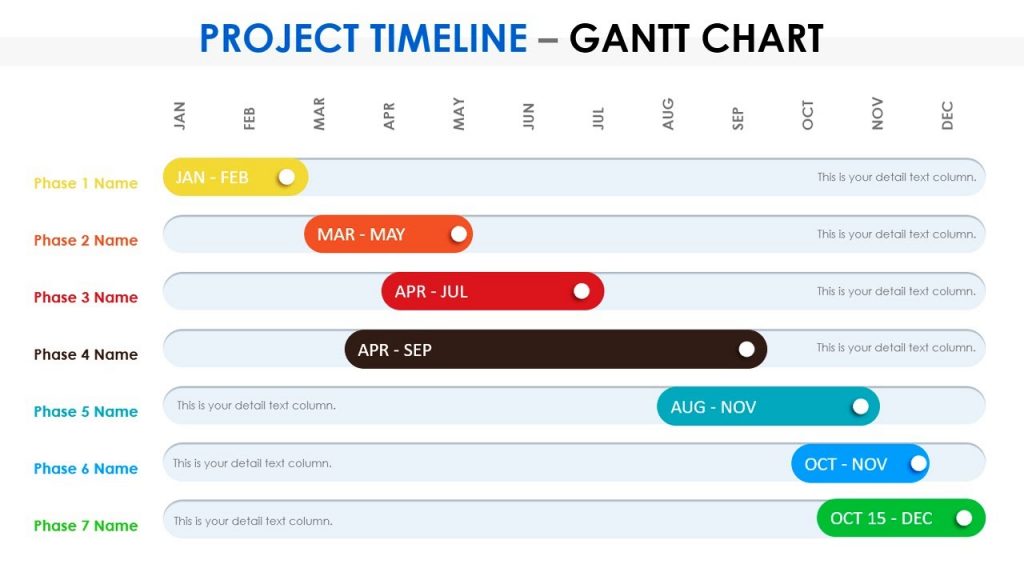
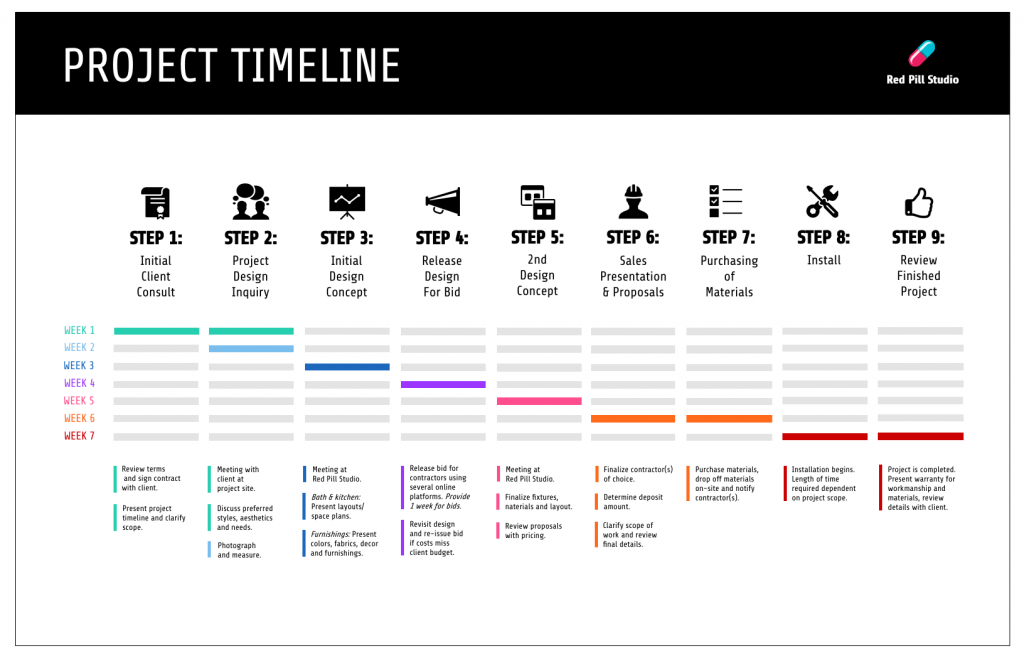
A project timeline is a visual list of tasks or activities placed in chronological order, which lets project managers view the entirety of the project in one place. Building timelines allows the project manager to visualize and collaborate on projects. Typically taking the form of a horizontal bar chart, where each task is given a name and a corresponding start and end date. It also provides an in-depth overview of the entire project from start to finish.
A project timeline can be priceless for a project team, but they can be challenging to make by hand or even in Excel. Fortunately, project timeline software can create an interactive timeline in just a few clicks.
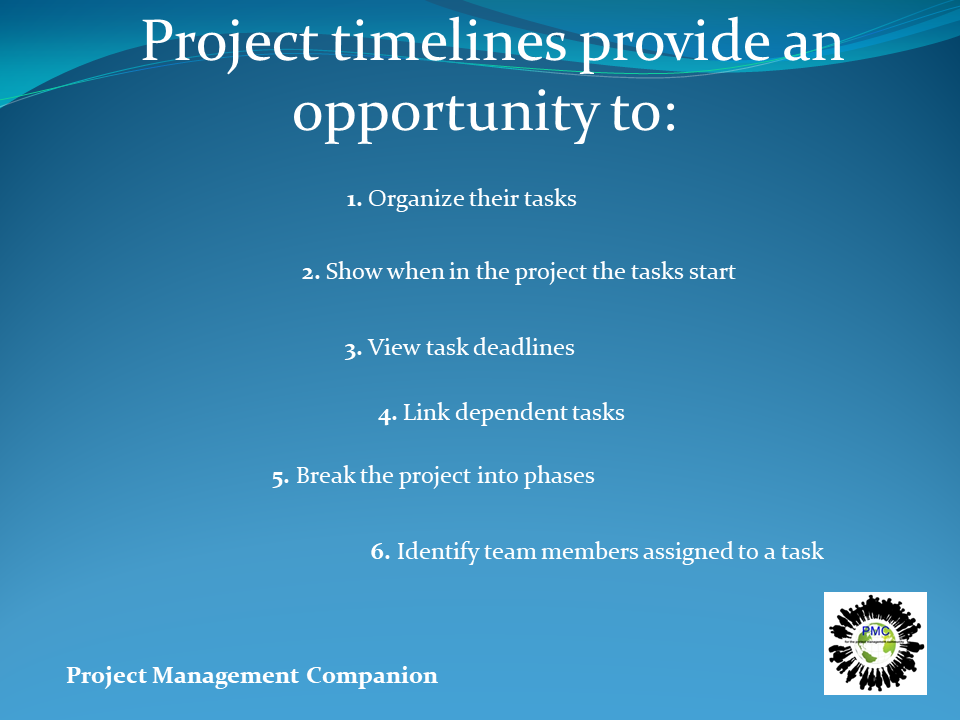
Project timelines provide an opportunity to:
- Organize their tasks
- Show when in the project the tasks start
- View task deadlines
- Link dependent tasks
- Break the project into phases
- Identify team members assigned to a task
Project timelines are very important for the successful delivery of a project; the following are steps for a thorough project timeline,
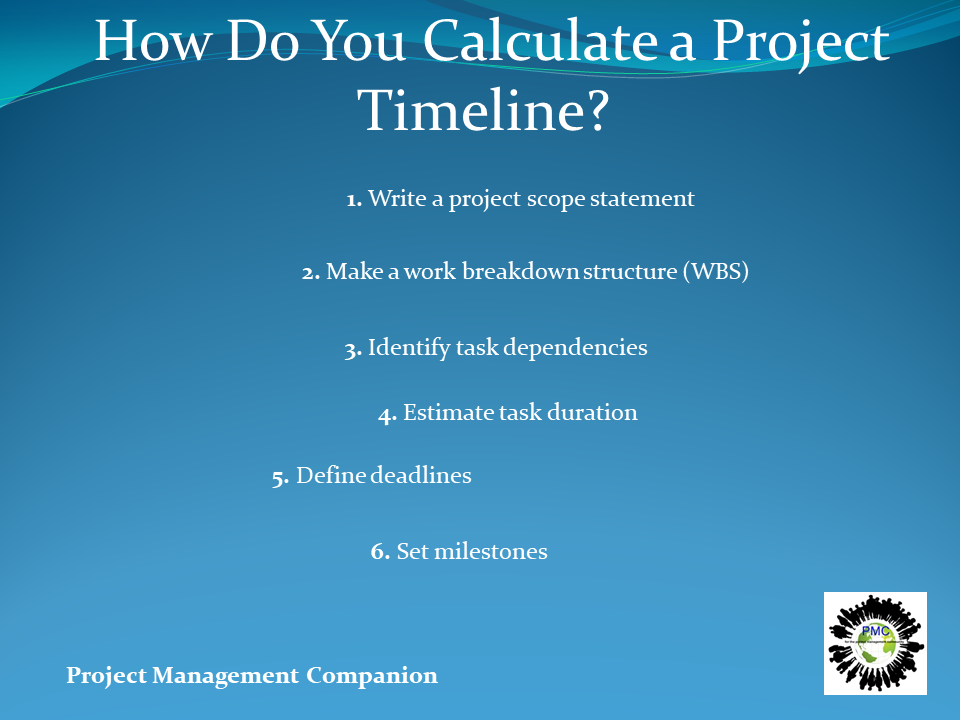
- Write a project scope statement: A scope statement outlines the tasks, milestones and deliverables for the project. It’s an essential part of the project management plan and it has all the information needed for a project plan timeline.
- Make a work breakdown structure (WBS): Use this graphic tool to break down the project scope into smaller work packages. The WBS provides a visual and organizes the project’s tasks, milestones and deliverables by hierarchy to establish a chronological order
- Identify task dependencies: Once tasks are identified, determine which of those activities are dependent on other tasks to start or end
- Estimate task duration: Make a reasonable time estimate for each task. This is a critical step to create the project management timeline, and determine the time required to complete the project
- Define deadlines: Determine how much time the team can spend on each task
- Set milestones: Milestones are important dates that mark the end of one phase and the beginning of the next, which makes them an important component of a project management timeline. Milestones are reached by completing task sequences and deliverables
Project management timelines can take many different forms with varying levels of efficacy. They can be drawn by hand, or on a whiteboard, but this method is inflexible and large changes to the project might require scrapping the entire timeline.
Using a spreadsheet loaded up with macros can make for very capable, if time consuming to create, timeline. A project timeline excel template can save the effort and time it takes to create the spreadsheet. However, such macro-heavy Excel sheets can prove difficult to maintain for larger projects.
To run projects effectively and efficiently, project managers prefer project timeline software that integrates their tasks with an interactive, feature-rich Gantt chart that can schedule, assign tasks, monitor progress and report on performance. Project timeline software is more versatile than project timeline templates because it allows project managers to easily update the timeline and keep track of tasks with dashboards and reports.
As stated, software is commonly used by project managers to create their project plan timelines. Project timeline software is an integral part of the planning process and often includes additional features that help to monitor progress when executing the project.

Using project timeline software is generally regarded as a necessity for keeping a modern project on schedule. It allows managers and teams to see the status of their tasks; that is, whether they’re in progress, overdue or done.
At its most basic, project timeline software creates a graphic representation of the project on a timeline with tasks and milestones plotted across. Tasks can be assigned start and end dates, and display a duration bar that indicates the planned amount of time to complete the tasks. More powerful software offerings can also include further options to manage tasks. There are many applications to choose from so select one that works best for you and the team.
Online project timeline software offers a centralized data repository in which everyone involved in the project can access the project timeline and other critical project documents and data. This means that managers and teams can access the project timeline when they need to, even if they’re working different shifts and located in different time zones.

Every project is impacted by the triple constraint of time, cost and scope. To start controlling the time and scope part of that important triangle, create a project timeline during the planning stage.
The project timeline helps everyone on the project team by giving them a roadmap of where they are, and where they should be, at every point in the project. Timelines and schedules are essential to execute the project plan.
Tasks are given start and end dates and show on the timeline as a line connecting two points in time. If some of those tasks are dependent on another to start or finish, these task dependencies can be indicated on the project timeline as well.
This assists a manager by keeping those dependencies visible and preventing possible bottlenecks that could block the time during the execution of the tasks.
Milestone feature is used to break up a larger project management timeline into more manageable phases. Milestones mark the end of one phase and the beginning of a new stage of the project. They can also be used to indicate any important dates or deadlines in the project.
Communication is the common thread that ties together all aspects of managing a project, and it is a core pillar in maintaining a project timeline. A timeline is only as good as the schedule it reflects. As that schedule changes, and it will, the timeline must change with it.
Project changes can come from various places via external issues, such as whether there is a disruption in supply chain, which causes delays. If and when this happens, keep the timeline current.
Communication can help changes are updated by staying in touch with suppliers, for example. Other changes can come from stakeholders whose expectations alter. To manage project timeline more effectively, schedule presentations with stakeholders to keep them updated on progress and to field any questions or requests they might have about the project.
In order to facilitate communication, project timeline has to be shareable. The team needs a copy to know when the tasks they’re assigned to execute must be completed within the project timeframe.
Stakeholders also need to have the project timeline. They are invested in the success of the project and want to know the big picture as it moves from stage to stage. To keep them updated, you’ll need to have them shared on current copies of the project timeline.

How to share the project timeline depends on the tool you’re using. If you use a project timeline template it can be printed and distributed. Obviously, this isn’t ideal. As noted, projects change and the last thing you want is to have multiple copies of various iterations floating around.
If a digital tool is used, then export the project management timeline and save it as a PDF. This can then be printed out or emailed to whoever needs it. The timeline is still a static document, but can be named by date and avoid confusing it with an older version.
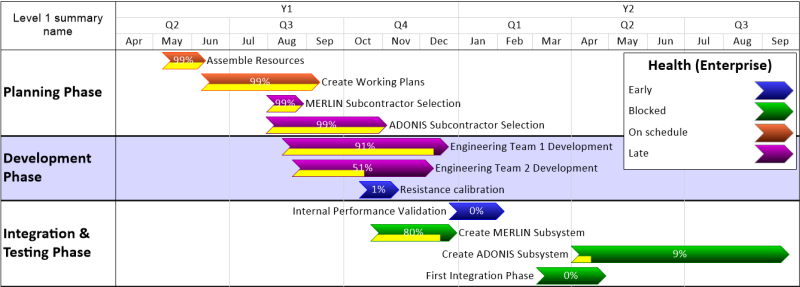
Project timelines allow for organization of all activities that make up a project, in order. Create milestones, set deadlines, and manage tasks and more— all in one easy to view location. Share your thoughts with us, we would like to hear your timeline approach. All the very best on your project management journey.
Steps to a robust project budget

Let’s face it, projects cost money, and proper money management requires strong budgeting to ensure everything goes according to plan. There are direct and indirect costs, fixed and variable costs, labor and materials, travel, equipment, rent and more, capturing each item can be a challenge. Invariably an item arises from left field to add to the financial complexity.
Without sufficient funds, the project will not be completed successfully, regardless of how hard you try. That’s why project planning and budget is so important: it’s the lifeblood of the project. To assist you in securing the funds necessary to support the project through every phase, there are steps which should be taken.
A project budget is the total projected costs needed to complete a project over a defined period of time. It’s used to estimate what the costs of the project will be for every phase of the project.

The project budget will include such things as labor, material procurement and operating costs. But it’s not a static document; the project budget will be reviewed and revived throughout the life of the project.
The budget is needed because projects cost money, but it’s more than just that. The budget is the engine that drives project’s funding, communicates to stakeholders how much money is needed and when it’s needed.
But it’s not only a means to get things a project requires, such as a team, equipment etc. it’s also an instrument to control project costs. The budget is a plan, which acts as a baseline to measure performance as the actual costs are collected once the project has been started.
To meet all the financial needs of the project, a project budget must be created thoroughly, not missing any aspect that requires funding. To do this, there are seven essential steps towards creating and managing project budget:
The use of historical data, looking back at similar projects and their budgets is a great way to get a head start on building a budget. To further elaborate on historical data, learn from their successes and mistakes. It provides a clear path that leads to more accurate estimates. It may also cover how changes were addressed to keep the budget under control.
Another resource to build a project budget is to tap those who have experience and knowledge—be they mentors, other project managers or experts in the field. Reaching out to those who have created budgets can help a project stay on track and avoid unnecessary pitfalls.

Once the budget information is available, there is still some work to do, take a look at it and make sure figures are accurate. During the project is not the time to find a typo. Also a good time to seek those experts and other project team members to check the budget and make sure it’s right.
The project budget is the baseline by which progress will be measured once started. It is a tool to gauge the variance of the project. It is best to re-baseline as changes occur in the project. Once the change control board approves any change it will need to be re-baselined.
It is best to update the budget in real time when or if a change needs to be addressed. The use of cloud based software is helpful here otherwise valuable time is wasted.
Things change and projects go off track all the time. It’s the projects that get back on track faster that tend to be successful.
Managing project expenses using these building blocks should be a sound foundation for project’s success.

It’s clear that building an accurate budget is key to setting up a project for success. A well-put-together budget isn’t just for managing money. It can also act as a baseline to measure performance against the actual costs of the project as they become apparent. Let us know how you put together your project budgets; we would like to hear from you. All the very best on your project management journey.

Timesheet and benefits to the project

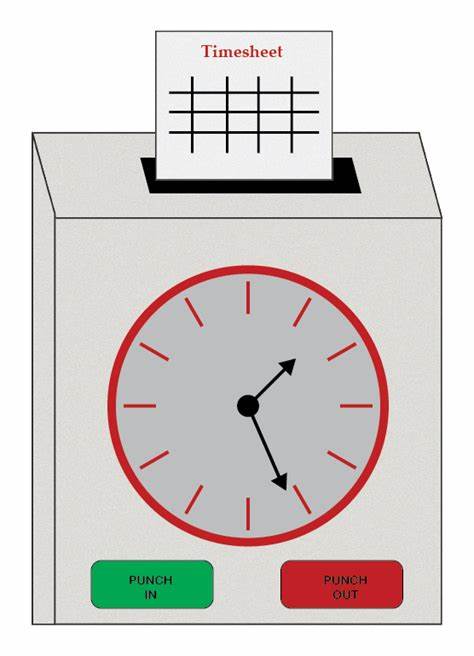
Don’t underestimate the benefit and use of timesheets to track vendors and internal resources alike. As the name suggests they record the amount of time an employee works on tasks. Timesheets are a mechanism for payroll used by management, human resources and accounting to record time and pay employees based on the proof of their total hours worked. The most common association is with time cards or time clocks.
In project management, timesheets have also become invaluable for businesses to monitor their time and keep projects on track. They can also be used as a management tool for expense tracking, capacity planning, or to estimate team availability.
There are a number of ways to create and use timesheets. The simplest is a physical, paper-based timesheet. Using a physical timesheet template saves costs, but can introduce issues such as lost timesheets and difficult-to-search archives.
Electronic timesheets can be made in Excel or Google sheets with a breakdown of tasks, project, program, client billing and more. Using an Excel timesheet template saves time and streamlines much of the payroll process. However, it can be unprofitable as it requires more time spent in inputting data and shepherding the timesheet through departments.
The third and best option is online timesheets, which show the team’s logged hours in real time. Timesheets can be auto-filled as tasks are completed, and last week’s work can be copied if recurring. A manager can be notified when timesheets are ready for approval and then locked when they’re approved; creating a seamless process that saves time and money.
Timesheets are essential to the payroll and client billing process. Employers use timesheets to record data related to an accounting of their employees’ work time to accurately pay them. To create timesheets managers must consider many variables such as their employee’s time cards, pay period, hourly rate, regular hours, overtime hours, mileage log, among others. Timesheets can be submitted weekly, biweekly, monthly or bimonthly.
Timesheets are mostly used for non-exempt employees, as it allows employers to not only pay for the hours worked, but track them to stay compliant with state and federal regulations such as the Fair Labour Standards Act. This is known as timesheet compliance, and the standards differ depending on the industry and the regulatory entities. For any firms that bill their clients regularly, timesheets work as a means to track those billable hours for each client.
There are many important uses for timesheets, from lowering costs due to inaccurate invoicing to tracking the time of the employees and using that data to adapt roles and improve performance. They act as protection against possible litigation by providing detailed records.
We’re long past the age of office workers clocking in and out on an antiquated time log sheet or time card machine, but that doesn’t mean timesheets are no longer in use to track time. In fact, their utility has only increased as project management tools have become more advanced. Today, timesheets are a very versatile time tracking tool.
Project management is modern, knowledge-based work, which requires the tracking and processing of large amounts of data in real time—and that includes time spent on tasks. Some project teams working in consultancy or agency environments will bill for the work hours that their team spends on projects using this data.
Savvy project managers, though, make full use of rigid adherence to online timesheets to identify avenues of optimization and improvement for their projects or business operations. The real value of timesheet tools is that they provide an easy way to see what the team is working on, at any time, and if that work is being properly executed.
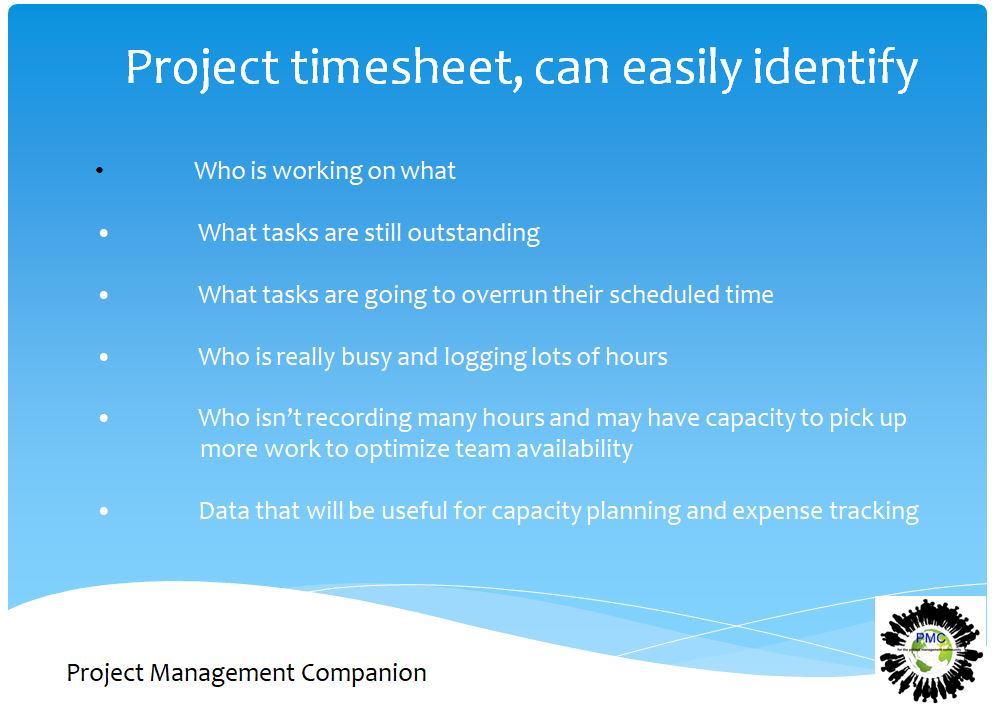
With proper use of a project timesheet, you can easily identify:
- Who is working on what
- What tasks are still outstanding
- What tasks are going to overrun their scheduled time
- Who is really busy and logging lots of hours
- Who isn’t recording many hours and may have capacity to pick up more work to optimize team availability
- Data that will be useful for capacity planning and expense tracking
Timesheet systems generally include the following data:
- The Name of the User: This is the person who is completing the timesheet. Managers may have access to employee timesheets to complete them.
- Date: Weekly timesheets are the most popular. The date field lets you navigate through the calendar and enter your working time for a particular week.
- Project: Timesheets can group tasks by project to make it easier for the user to see what they are recording at a glance.
- Task: The list of tasks that the user has been allocated to work on that are not yet marked as complete.
- Copy Last Week: If you’re working on similar or the same tasks each week, you can auto-populate the timesheet with last week’s tasks rather than have to input them again.
- Days of the Week: The rest of the timesheet columns display the days of the week. Mark the hours worked on each task against the correct days. Some projects might demand the use of daily timesheets, which describe the tasks performed in a day and other details such as hours worked, clock in and clock out time, among others.
- Percentage Complete: See what percentage of your tasks is done.
- Auto-totals: Columns and rows will automatically total so that you can see at a glance how many hours you have worked in a day or on a particular task. This helps both employers and employees calculate total hours, regular hours, overtime hours and double time for payroll purposes.
- Submit: If an approver has been assigned, the timesheet when ready can be sent to that person to review. Electronic timesheets are easily shared online, while printable timesheets can be delivered in person.
- Notes: Add comments and upload files to timesheet entries to remind yourself of what the task was about or to note why it took longer (or less time) than expected.
You’ll also typically see lines on the timesheet that do not directly tie back to tasks on the project schedule. These lines could represent things like paid time off (PTO), team meetings, training and so on. These tasks take up time during the working week, but don’t necessarily contribute directly to a project.

When applied properly, it won’t be long before estimates improve, confidence in hitting deadlines is bolstered and project success rates increase. Let us know your opinion of timesheets and if they benefit tracking resources. We would like to hear from you, all the best on your project management journey